Free
$0
Downloads, Trash, Temp, and Login Items cleanup, plus SpaceLens disk exploration.
- Downloads cleanup
- Trash cleanup
- Temp cleanup
- Login Items manager
- SpaceLens explore
 MacSweep
macOS disk cleaner: free tier, paid upgrades, no subscription
Understand your disk. Clean with confidence.
See what's using your disk and understand the risk before you remove anything. Everything runs locally. Your files never leave your Mac.
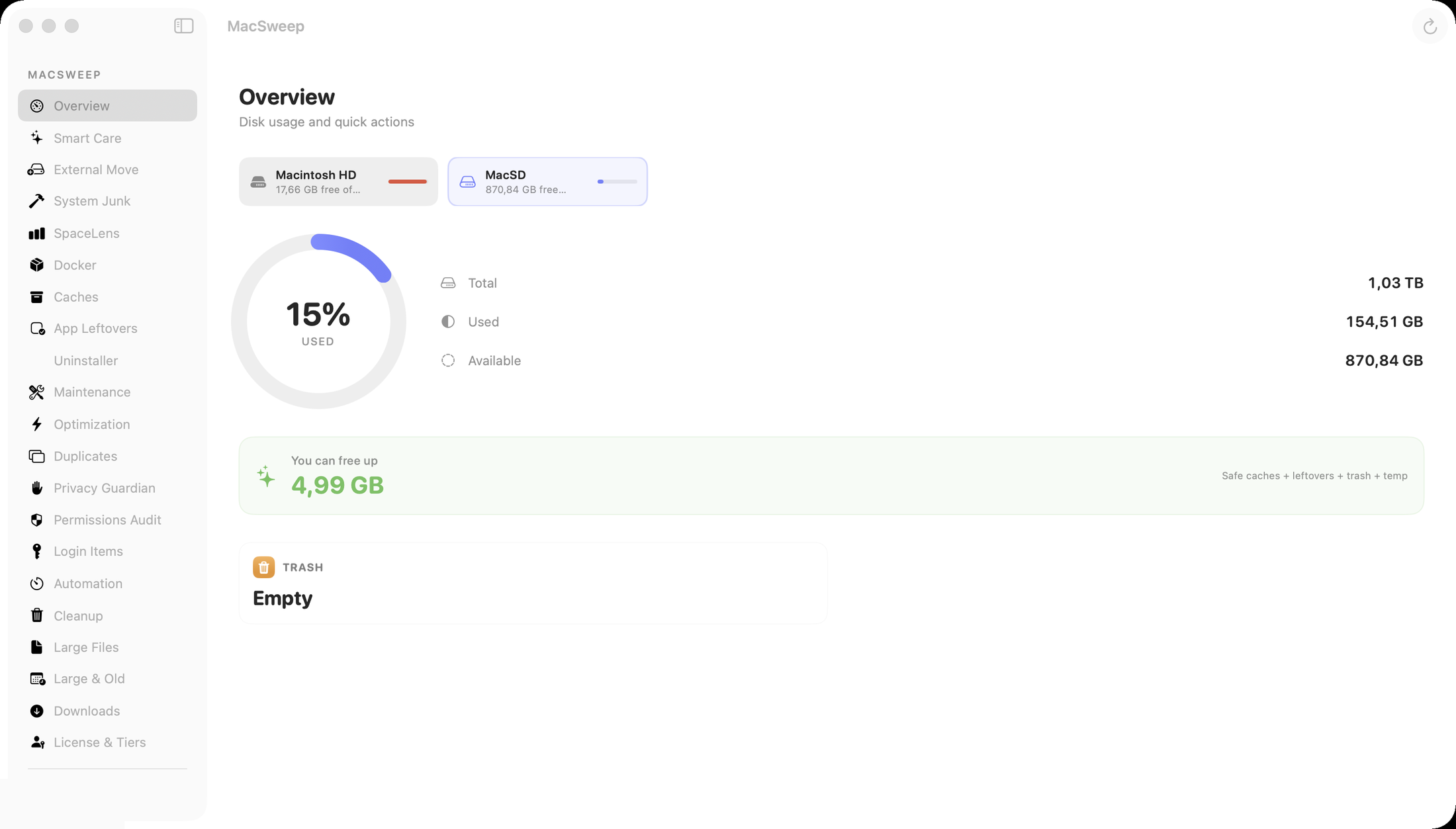
Every scan runs on your Mac. Nothing about your files leaves the device.
Developer ID signed and notarized by Apple, so macOS verifies it before it runs. Verify →
Every item is labeled Safe, Review, or Do Not Delete. You choose what gets cleaned.
No subscription. Buy once and use your license on every Mac you own.
Simple, transparent pricing
Free
$0
Downloads, Trash, Temp, and Login Items cleanup, plus SpaceLens disk exploration.
Advanced
$19 one-time
Everything in Free, plus Caches, Large Files, App Leftovers, Privacy Guardian, Smart Care cleanup, and SpaceLens delete.
Pro For Developers
$39 one-time
Everything in Advanced, plus Docker cleanup, the macsweep CLI, and scheduled automation.
MacSweep never permanently deletes your files behind your back. Every action is reviewable, and most are recoverable from the Trash.
Files go to the macOS Trash, recoverable until you empty it.
Used for: Downloads, caches, app leftovers, large files.
Empties system folders like Trash and Temp without deleting the folder itself.
Used for: Trash folder, temp files.
Removes Docker images, containers, and volumes through Docker's own commands, not filesystem tricks.
Used for: Docker storage.
MacSweep Pro
MacSweep Pro adds a command-line tool and Docker cleanup to the app you already trust.
$ macsweep scan
Scanning… found 4.2 GB reclaimable

$ macsweep clean caches -e
Cleaned 1.8 GB of cache files

$ macsweep doctor
Full Disk Access  ✓
Docker            ✓
License           Pro
brew tap C-TTK/macsweep && brew install macsweep
--json) for scripts and CI
-e to execute, -y to skip confirmation
Start free. Scan your disk, review what's safe, and clean Downloads and Trash.
Download FreeClear caches, app leftovers, and large files. One-time $19.
Buy AdvancedAdd Docker cleanup, the CLI, and scheduled automation. One-time $39.
Buy ProBuilt for real storage pressure
Run one scan across caches, Trash, temp files, app leftovers, Docker, logs, large files, and recommendations.
Drill into the largest folders on your selected disk without following symlink traps or package internals.
Review images, containers, volumes, and build cache with running or in-use resources marked as risky.
Find orphaned support files after apps are removed while protecting installed-app relationships by default. How it works.
Destructive actions require confirmation. User-visible files go through Trash where macOS supports it; temp and Trash folder cleanup clears contents; Docker cleanup uses Docker APIs.
Each tester build includes release notes, a direct DMG link, and a SHA-256 checksum for verification.
Latest release
MacSweep v2.1.8 empties the Trash on external drives and SD cards, and when a cloud drive's Trash holds items it lists each drive and asks before removing anything stored on other devices. It reports afterwards what was removed and what is still there. Memory status now comes from the pressure level macOS reports, and App Leftovers calls an app removed only when it can confirm no installed app owns its data. Signed and notarized with Developer ID; verify the SHA-256 checksum after downloading.
Review release notesd4b30bd0cf4ec984d516cd13252667142a67774269b29f92fc374e8a0ff63b29
Customer reviews
Quoted word for word, with a link to where each review appears.
"MacSweep made this so much easier. The best part is that it doesn’t just randomly clean everything. It shows you what it finds, helps you understand what is safe to remove, and lets you decide on the things that matter."
CleanMyMac alternative
MacSweep is review-first: selected files go to Trash where macOS supports it, temp and Trash folder cleanup clears contents, and Docker cleanup uses Docker APIs. See how it compares on safety, features, and one-time pricing.
Compare MacSweep vs CleanMyMacCommon questions
MacSweep does not silently run permanent file cleanup. Selected files move to Trash where macOS supports it, so you can review or restore them before emptying Trash yourself. Empty Trash and temp cleanup clear directory contents, and Docker cleanup uses Docker's own image, container, volume, and builder-cache APIs.
Only if you choose to. Finder's Trash also shows items you deleted from cloud drives, and MacSweep counts them. When a cloud drive's Trash has items, MacSweep lists each drive and how many items it holds, then asks: Empty Everywhere, Local Trash Only, or Cancel. Local Trash Only empties the Trash on this Mac and leaves the cloud items alone. Scheduled cleaning, the command-line tool and Smart Care cleanup never touch cloud drive Trash. Any cloud drive macOS manages as a File Provider, such as iCloud Drive, Google Drive, Dropbox or OneDrive, is included when macOS marks its Trash folder as a real Trash, and none is included without that mark.
Yes, the ones MacSweep counted. Empty Everywhere empties this Mac's Trash, deletes the counted items from that drive's Trash folder, and your cloud service syncs the deletion, so they're gone from every device signed in to that account. MacSweep can't bring them back. Check your provider's recovery options first if you're not sure. Anything trashed after MacSweep counts it stays where it is, and nothing in your cloud drive outside its Trash folder is touched.
Yes. Free includes Downloads cleanup, Trash cleanup, Temp cleanup, Login Items, and SpaceLens exploration. You can scan broadly and clean those basic areas without paying. Advanced and Pro unlock deeper cleanup actions.
You receive a signed license file and activate it in MacSweep. Advanced unlocks Caches, Large Files, App Leftovers, SpaceLens delete, and Privacy Guardian. Pro adds Docker cleanup, the CLI tool, and Scheduled Automation.
Yes. MacSweep is licensed per person, not per device. One purchase works on all your personal Macs. There is no machine fingerprinting and no device-count activation limit.
Yes. Every scan runs locally on your Mac, and nothing about your files is uploaded. No file paths, filenames, or scan results ever leave your device. Anonymous product analytics (which features are used, app version, never personal content) are on by default to help improve the app and can be turned off anytime in Privacy Guardian. You review every item before anything is cleaned.
MacSweep Pro includes a command-line tool. Install it with Homebrew: brew tap C-TTK/macsweep && brew install macsweep, then run macsweep doctor.
MacSweep is built around a review-first principle. Every scan result is labeled Safe, Review, or Do Not Delete before you act on anything. Destructive actions require explicit confirmation. Conservative pre-selection means only confirmed-stale files, like installers whose app is already installed, are pre-checked. MacSweep does not aggressively pre-select files the way some other disk cleaners do.
The fastest starting point is Smart Care. Run a single scan from the MacSweep sidebar and it checks caches, Trash, temp files, app leftovers, Docker storage, logs, and large files in one pass. MacSweep also scans your Downloads folder and Desktop for old installers, archives, and large files that tend to accumulate over time without being noticed.
Yes. MacSweep's Docker module scans images, containers, volumes, and build cache. Resources that are currently running or in use are marked with a risk label so you do not accidentally remove something active. This is especially useful on developer machines where Docker can quietly consume 20–40 GB over time.
No. MacSweep has a free tier plus one-time Advanced and Pro purchases. There is no subscription and no recurring fee. One purchase works on all your personal Macs.
No. All scans run entirely on your Mac. File paths, scan results, and disk contents are never uploaded to MacSweep servers. Anonymous product analytics are on by default to help improve the app. Only coarse usage events (which features are used, action names, size buckets, app version, tier) are sent, never file paths, filenames, or personal content. You can turn them off anytime in the app (Privacy Guardian).
The biggest practical difference is deletion safety. MacSweep is review-first, uses conservative pre-selection, sends selected files to Trash where macOS supports it, and uses Docker APIs for Docker cleanup. MacSweep also scans the Desktop, shows human-readable age labels like "Last opened 8 months ago" instead of a generic OLD badge, groups results by type, and tags each file with its source folder. MacSweep has no subscription, and one purchase works on all your personal Macs. Full comparison →
Yes. MacSweep scans the Desktop for old installers, archives, and large files at the top level, in addition to a recursive scan of your Downloads folder. Files found on the Desktop are tagged with a Desktop source label so you always know where they came from.
Yes. The App Leftovers module finds orphaned support files, preferences, and caches left behind after you delete an app. Files are matched to their parent app. If the app is still installed, those files are protected by default and will not be pre-selected for removal.
Not yet. Mail attachment cleanup for Apple Mail, Spark, and Outlook is in active development. For now, MacSweep's Downloads surface will catch large attachments you have manually saved to Downloads or Desktop.
MacSweep requires macOS 14 Sonoma or later. It is a native Swift app and runs on both Apple Silicon and Intel Macs.
Yes. MacSweep requests Full Disk Access during onboarding so it can inspect protected paths like Application Support, Caches, and Library folders. The permission is requested once and your choice is saved. MacSweep uses the access only for local scanning: file paths, scan results, and disk contents are never uploaded.
Try the Free tier first. It runs the core cleanup so you can see what MacSweep does before paying. Advanced and Pro are one-time purchases: if MacSweep doesn't work materially as described and we can't resolve it in a reasonable support exchange, you can request a refund within 14 days of purchase. See the refund policy for details.
Also by us
Flutely is our private Mac dictation app for turning speech into text in the apps you already use. It pairs well with MacSweep for people who want a quieter, faster Mac setup.
Start free. Upgrade once when you need deeper cleanup. No subscription.